

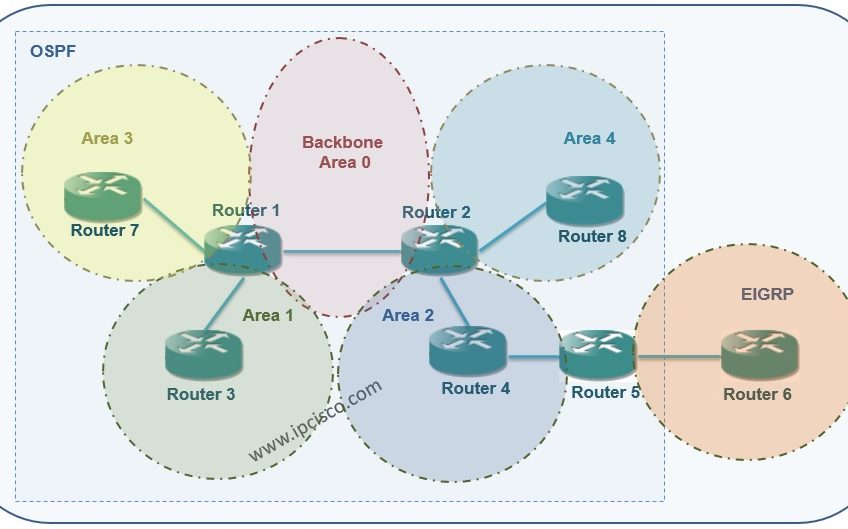
Not So Stubby Area (NSSA)
Not So Stubby Area name is the most funny name in network world, I think : ) Funny and useful. With NSSA, the External LSAs (Type 5) that is not accepted by Stub Areas, accepted as Type 7.
Normally, NSSA are do not accept Type 5 LSAs. But it convert Type 5 to Type 7 and then accept. After NSSA, at the ABR, this convert process is done again and Type 7 LSAs is converted to Type 5 LSAs.
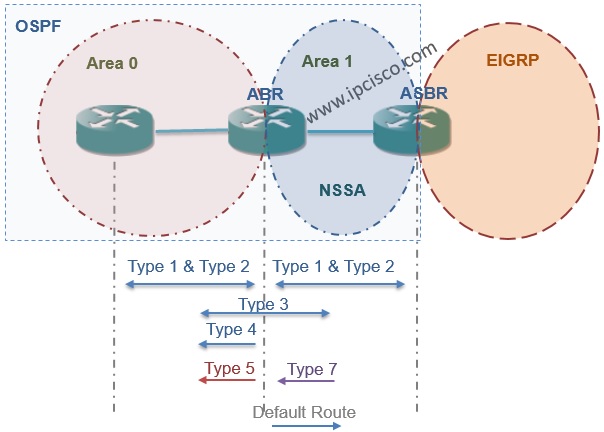
The routes that is related to Type 7 LSAs, will be like N1 and N2 routes in the routing table.The difference between these two route type is explained before.
In NSSA, Summary LSA Type 3 is accepted like Stub Area. Beside, if a default-information originate command is used in ABR, default-route is also accepted.
To configure NSSA, all the routers in the area need to be configured as NSSA. This configuration is like below:
For default-route, the below command is used:
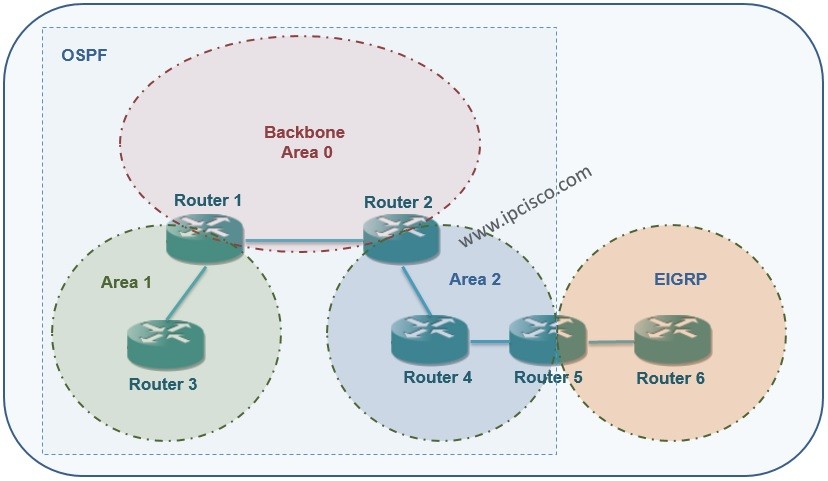
On our main topology, we will configure the Area 2 as not so stubby area (NSSA). The not so stubby area (NSSA) configuration will be like below on Router2, Router4 and Router5:
After this configuration, the show ip route output will be like below:


Gokhan Kosem is a Network Engineer, Instructor and the Founder of IPCisco.com with 15+ years of experience in Cisco, Nokia, Huawei, Juniper, Linux, Service Provider Networks, Routing and Switching technologies.
He has worked on the backbone networks of major service providers and network vendors including Nortel, Alcatel-Lucent (Nokia) and has extensive hands-on experience with Cisco, Huawei, Juniper and Nokia networking technologies.
He has trained thousands of networking students worldwide through IPCisco.com, Udemy, books, labs, quizzes, and educational content across multiple social media platforms.
IPCisco.com | Best Route to Your Dreams






Leave a Reply