

Table of Contents
How to Configure SNMP on Huawei Routers?
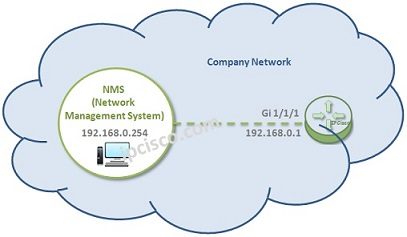
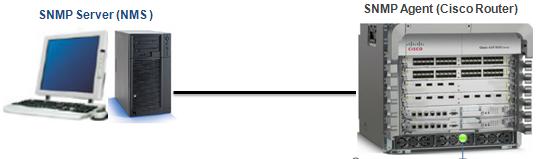
In this article we will focus on Huawei SNMP, How to Configure SNMP on Huawei devices. We will use the below simple topology and we will manage a router in Network Management System via SNMP.
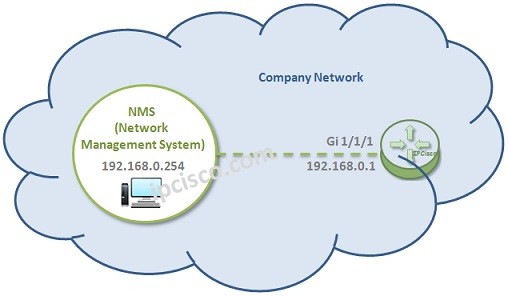
Let’s start SNMP Configuration on the router. We will configure the router as SNMP Agent. Because it is the device that we would like to manage.
You can download this configuration on Huawei eNSP Labs Page.
In the first palce let’s configure our interface IP address.
[Huawei-Router] interface GigabitEthernet 1/1/1
[Huawei-Router-GigabitEthernet 1/1/1] ip address 192.168.0.1 255.255.255.0
[Huawei-Router-GigabitEthernet 1/1/1] undo shutdown
To start Huawei SNMP Cofiguration, firstly we will enter the keyword “snmp-agent”. After that we will configure contact and location information. This information is required as a best practice. With this information, it is easy to determine contact people that is responsible NMS.
system-view
[Huawei-Router] snmp-agent
[Huawei-Router] snmp-agent sys-info contact Gokhan Tel : 00 90 123 123 1234
[Huawei-Router] snmp-agent sys-info location Istanbul, Turkey
After that, we will determine the version of our SNMP. By default SNMPv3 is enabled. Here, we will configure this router with SNMPv2c.So, firstly we will disable SNMPv3.Then, we will enable SNMPv2c.


Gokhan Kosem is a Network Engineer, Instructor and the Founder of IPCisco.com with 15+ years of experience in Cisco, Nokia, Huawei, Juniper, Linux, Service Provider Networks, Routing and Switching technologies.
He has worked on the backbone networks of major service providers and network vendors including Nortel, Alcatel-Lucent (Nokia) and has extensive hands-on experience with Cisco, Huawei, Juniper and Nokia networking technologies.
He has trained thousands of networking students worldwide through IPCisco.com, Udemy, books, labs, quizzes, and educational content across multiple social media platforms.
IPCisco.com | Best Route to Your Dreams






Leave a Reply