
- COURSES
- SPECIALS
- BLOG
- MEMBERS
- SHOP
- BOOKSHELF
- ABOUT
- ENROLL HERE

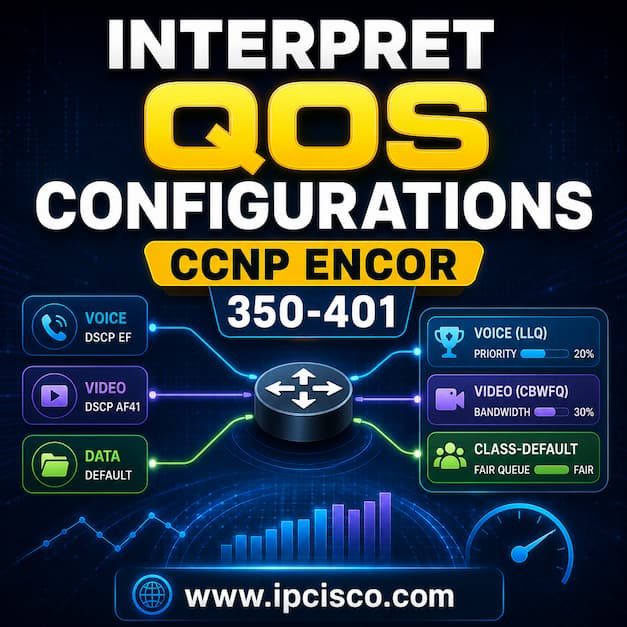
Table of Contents
In the Architecture part of Cisco CCNP ENCOR v1.2 lessons, there is a QoS lesson named “Interpret QoS configurations”. Here, we will focus on Quality of Service and How to Interpret QoS Configurations on Cisco devices. We will see a QoS Configuration and then you will learn the meaning of various of Cisco QoS Commands.
In the first Interpret QoS Configuration example we will focus on voice, video and default traffics. We will see a Cisco QoS Configuration on Packet Tracer and then we will interpret what is the meaning of this Quality-of-Service Configuration. Our configuration is below:
class-map match-any VOICE
  match dscp ef

class-map match-any VIDEO
  match dscp af41

policy-map WAN-QOS
  class VOICE
  priority percent 20

class VIDEO
  bandwidth percent 30

class class-default
  fair-queue

interface GigabitEthernet0/0
  service-policy output WAN-QOS

Firstly, let’s explain the basic points of this Quality-of-Service Configuration. The first two parts are classification in this configuration.
Here, DSCP EF traffic is classified as VOICE and DSCP AF41 traffic is classified as VIDEO.
Voice traffic uses LLQ, because of the priority command.
Video traffic gets a minimum bandwidth guarantee of 30%.
Default traffic uses fair-queue.
And lastly, this policy is applied outbound direction on GigabitEthernet0/0.
Voice traffic gets the lowest latency.
The command “priority percent 20” creates the priority queue.
The policy is applied on GigabitEthernet0/0 of the device.
The policy is applied outbound direction.
DSCP AF41 traffic matches the VIDEO class and it gets 30% minimum bandwidth.
In the second Interpret QoS Configuration example, we will focus on QoS Policing. We will use Access-List to match policies with the desired traffic.
access-list 101 permit ip 10.10.10.0 0.0.0.255 any

class-map BULK-DATA
  match access-group 101

policy-map INTERNET-POLICY
  class BULK-DATA
   police 50000000
    conform-action transmit
    exceed-action drop

class class-default
  bandwidth percent 20

interface GigabitEthernet0/1
  service-policy output INTERNET-POLICY

In this QoS Policing configuration, the traffic from 10.10.10.0/24 matches the BULK-DATA class with an access list and “class-map” command.
This BULK-DATA is limited to 50 Mbps. This means that the traffic above 50 Mbps will be dropped. This is basically policing not shaping. It drops the traffic instead of queuing.
In this policy configuration, Class-default receives a minimum 20% bandwidth guarantee.
Traffic from 10.10.10.0/24 matches the BULK-DATA class.
The command “police 50000000” under policy-map INTERNET-POLICY and under class BULK-DATA limits traffic to 50 Mbps.
This is policing so the traffic above 50 Mbps is dropped.
This is a QoS policing example.
In this QoS configuration, class-default receives 20% minimum bandwidth.
In the third Interpret QoS Configuration example, we will focus on QoS Marking and Shaping. You will learn how marking and shaping commands means on a Quality-of-Service configuration on a Cisco router. Our packet tracer configuration example is below:
class-map match-any BUSINESS-APP
  match protocol http
  match protocol https

policy-map MARK-BUSINESS
  class BUSINESS-APP
  set dscp af31

class class-default
  set dscp default

interface GigabitEthernet0/2
  service-policy input MARK-BUSINESS

policy-map WAN-SHAPER
  class class-default
  shape average 100000000

interface GigabitEthernet0/3
  service-policy output WAN-SHAPER
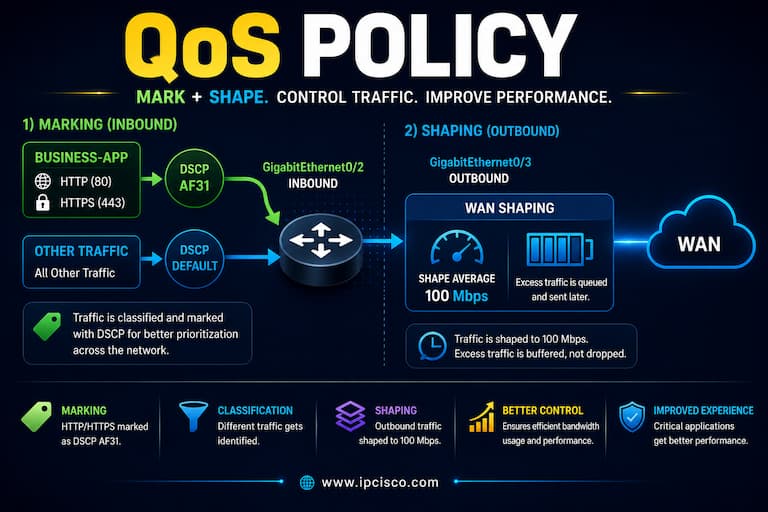
In the first lines of this configuration, HTTP and HTTPS traffic are classified as BUSINESS-APP. And this BUSINESS-APP traffic is marked with DSCP AF31 in the second configuration part.
The remaining traffic is marked as default.
In this Marking and Shaping configuration, marking is applied inbound on GigabitEthernet0/2 and shaping is applied outbound on GigabitEthernet0/3.
Traffic is shaped to an average rate of 100,000,000 bps (100 Mbps). This means that, when the traffic exceeds 100 Mbps:
HTTP and HTTPS traffic match BUSINESS-APP.
BUSINESS-APP is marked with DSCP AF31.
Marking is applied on GigabitEthernet0/2.
Shaping is applied on GigabitEthernet0/3.
Policing drops excess traffic, while shaping queues excess traffic and sends it later.
Policing drops or remarks traffic that exceeds a configured rate. Shaping buffers excess traffic and sends it later, creating a smoother traffic flow.
Look for the priority command inside a policy-map. This indicates LLQ.
Example:
class VOICE
  priority percent 20
Look for the bandwidth command. This indicates CBWFQ.
Example:
class VIDEO
  bandwidth percent 30
Junior, Senior & Expert Network Engineer Interview Vaults
 |
 |
 |

Gokhan Kosem is a Network Engineer, Instructor and the Founder of IPCisco.com with 15+ years of experience in Cisco, Nokia, Huawei, Juniper, Linux, Service Provider Networks, Routing and Switching technologies.
He has worked on the backbone networks of major service providers and network vendors including Nortel, Alcatel-Lucent (Nokia) and has extensive hands-on experience with Cisco, Huawei, Juniper and Nokia networking technologies.
He has trained thousands of networking students worldwide through IPCisco.com, Udemy, books, labs, quizzes, and educational content across multiple social media platforms.
IPCisco.com | Best Route to Your Dreams







Leave a Reply