

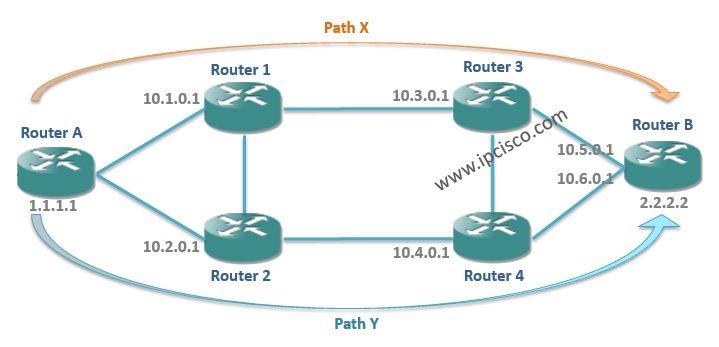
Prerequisites and Configuring RSVP-TE
– Configure IGP.
– Enable MPLS context.
– Enable RSVP context.
– Configure interfaces for MPLS ( automatically RSVP).
Let’s check these step sone by one.
Configuring IGP (Routing Protocol) is required for routing between the nodes. This is the first required step. Before RSVP-TE configuration, be sure that your routing protocol is properly configured and the nodes can reach each other.
After IGP congfiguration, the second step is enabling MPLS and RSVP. To do this, use the below command:
To check the status of these protocols, you can use “show router status” command.
The last step is locating the interfaces under the MPLS context. Configure the interfaces under MPLS context.
In Alcatel-Lucent Service Routers when you add an interface under MPLS, it is also added under the RSVP automatically. You can check this with “info” command under RSVP context.

Other RSVP-TE Lessons:
MPLS, RSVP-TE – Part 1
MPLS, RSVP-TE – Part 2(Alcatel-Lucent Configuration)

Gokhan Kosem is a Network Engineer, Instructor and the Founder of IPCisco.com with 15+ years of experience in Cisco, Nokia, Huawei, Juniper, Linux, Service Provider Networks, Routing and Switching technologies.
He has worked on the backbone networks of major service providers and network vendors including Nortel, Alcatel-Lucent (Nokia) and has extensive hands-on experience with Cisco, Huawei, Juniper and Nokia networking technologies.
He has trained thousands of networking students worldwide through IPCisco.com, Udemy, books, labs, quizzes, and educational content across multiple social media platforms.
IPCisco.com | Best Route to Your Dreams






Leave a Reply