

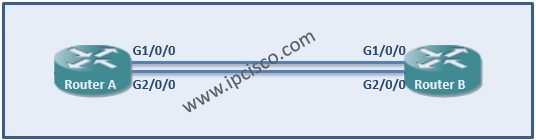
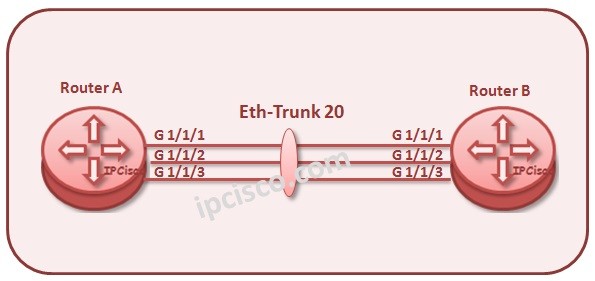
We have learned LACP and Link Aggregation before detailly and in this article we will focus LACP Cisco Configuration. We will make a link aggregation protocol with two ports in one bundle. You can use more port up to 8 ports in Cisco devices.
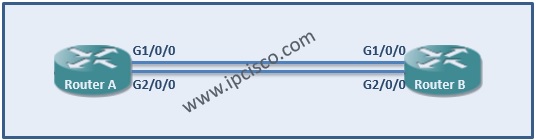
On RouterA
RouterA> enable
RouterA# configure terminal
RouterA (config)# interface port-channel 1
RouterA (config-if)# lacp max-bundle 2
RouterA (config-if)# ip address 192.168.0.1 255.255.255.0
RouterA (config-if)# interface g1/0/0
RouterA (config-if)# no ip address
RouterA (config-if)# channel-group 1 mode active
RouterA (config-if)# exit
RouterA (config)# interface g2/0/0
RouterA (config-if)# no ip address
RouterA (config-if)# channel-group 1 mode active
RouterA (config-if)# end

You can also view the below LACP Configuration Lessons for different vendors:

Gokhan Kosem is a Network Engineer, Instructor and the Founder of IPCisco.com with 15+ years of experience in Cisco, Nokia, Huawei, Juniper, Linux, Service Provider Networks, Routing and Switching technologies.
He has worked on the backbone networks of major service providers and network vendors including Nortel, Alcatel-Lucent (Nokia) and has extensive hands-on experience with Cisco, Huawei, Juniper and Nokia networking technologies.
He has trained thousands of networking students worldwide through IPCisco.com, Udemy, books, labs, quizzes, and educational content across multiple social media platforms.
IPCisco.com | Best Route to Your Dreams






Leave a Reply