

Table of Contents
Huawei Static Routing
Static Route is a manual simple route configuration. In Huawei Routers, Static Routing is similar to the other platforms like Cisco Static Routing, Nokia Static Routing etc.
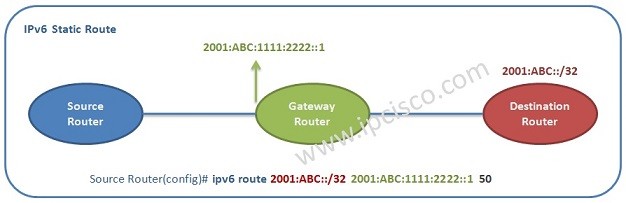
The concept is simple:
- Write “ip static route”
- Add “the Destination IP and Subnet Mask”
- Add “the Gateway”
You can download this configuration on Huawei eNSP Labs Page.
Huawei Static Route Configuration Example
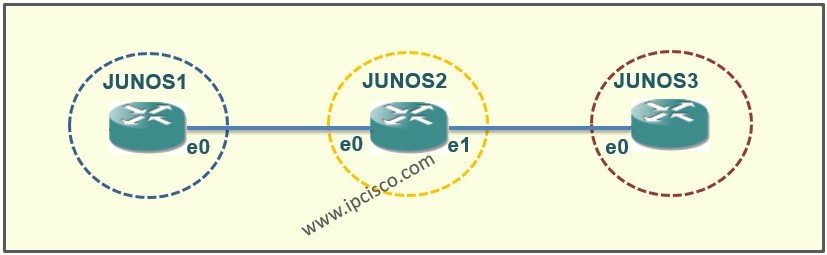
Here, we will show Huawei Static Route Configuration on the below topology.
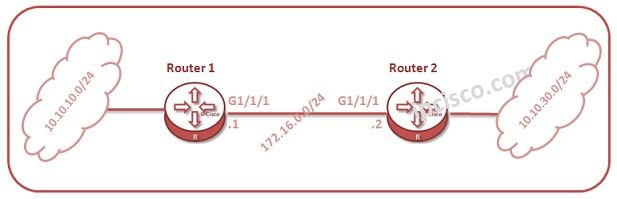
On Router 1, we will do one of the below Huawei Static Routing Configurations. These three configuration is same. It is up to your configuration behaviour.
system-view
[Huawei-Router1] ip route-static 10.10.30.0 255.255.255.0 172.16.0.2
OR
system-view
[Huawei-Router1] ip route-static 10.10.30.0 255.255.255.0 GigabitEthernet 1/1/1
OR


Gokhan Kosem is a Network Engineer, Instructor and the Founder of IPCisco.com with 15+ years of experience in Cisco, Nokia, Huawei, Juniper, Linux, Service Provider Networks, Routing and Switching technologies.
He has worked on the backbone networks of major service providers and network vendors including Nortel, Alcatel-Lucent (Nokia) and has extensive hands-on experience with Cisco, Huawei, Juniper and Nokia networking technologies.
He has trained thousands of networking students worldwide through IPCisco.com, Udemy, books, labs, quizzes, and educational content across multiple social media platforms.
IPCisco.com | Best Route to Your Dreams






Leave a Reply