

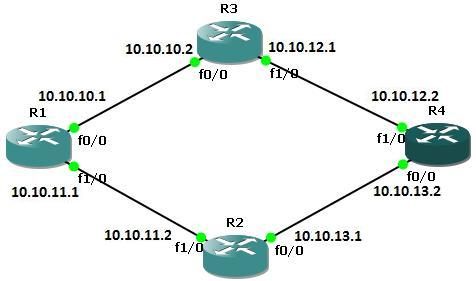
Cisco Static Route Configuration
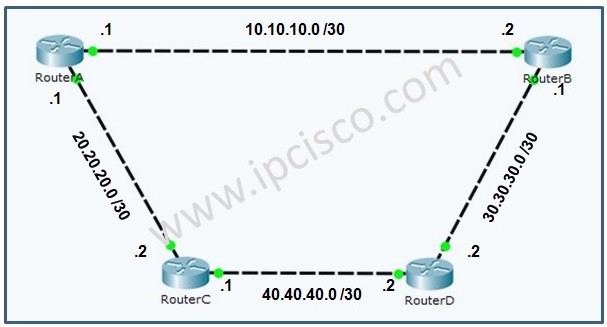
To send the traffic to the destination we can use two types of routing. Static and Dynamic routing. Static route tell the network devices about exact location.Beside, static routers can work well with small networks. For large scale networks dynamic routing will be better choice.Here we will focus static routing. The below example will explain the configuration of the static routes.
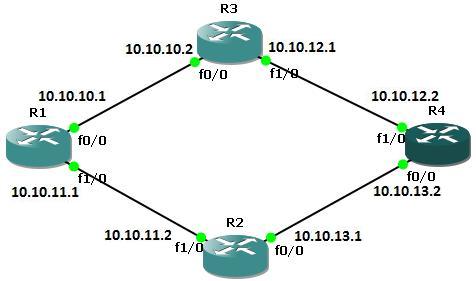
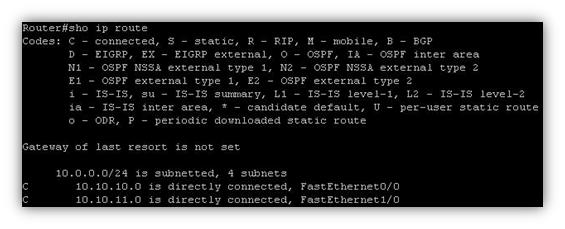
First run the command show ip route to view the IP routing table for router A before defining static routes
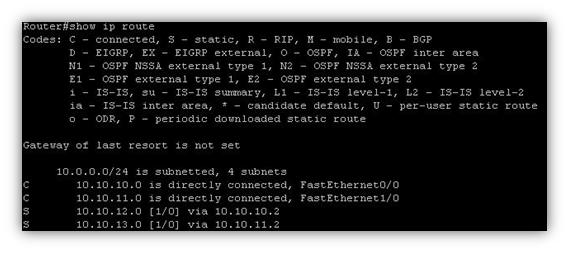
If we give show ip route command on router A to view the IP routing table we will see both directly connected and static routes detail.
First run the command show ip route to view the IP routing table for router B before defining static routes
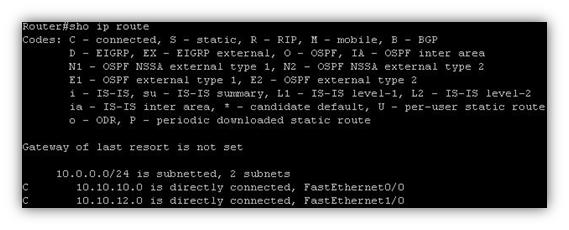
If we give show ip route command on router B to view the IP routing table we will see both directly connected and static routes detail.
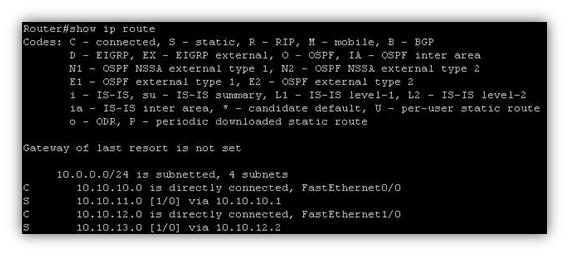
First run the command show ip route to view the IP routing table for router C before defining static routes.
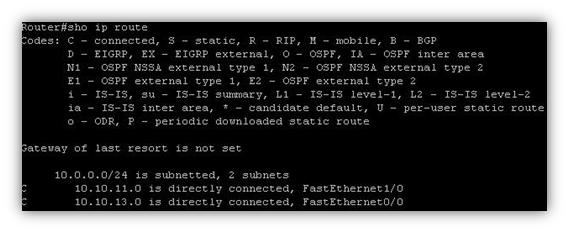
You can download “All Packet Tracer Labs” in Packet Tracer Labs Page section.


Gokhan Kosem is a Network Engineer, Instructor and the Founder of IPCisco.com with 15+ years of experience in Cisco, Nokia, Huawei, Juniper, Linux, Service Provider Networks, Routing and Switching technologies.
He has worked on the backbone networks of major service providers and network vendors including Nortel, Alcatel-Lucent (Nokia) and has extensive hands-on experience with Cisco, Huawei, Juniper and Nokia networking technologies.
He has trained thousands of networking students worldwide through IPCisco.com, Udemy, books, labs, quizzes, and educational content across multiple social media platforms.
IPCisco.com | Best Route to Your Dreams






Leave a Reply