
- COURSES
- SPECIALS
- BLOG
- MEMBERS
- SHOP
- BOOKSHELF
- ABOUT
- ENROLL HERE

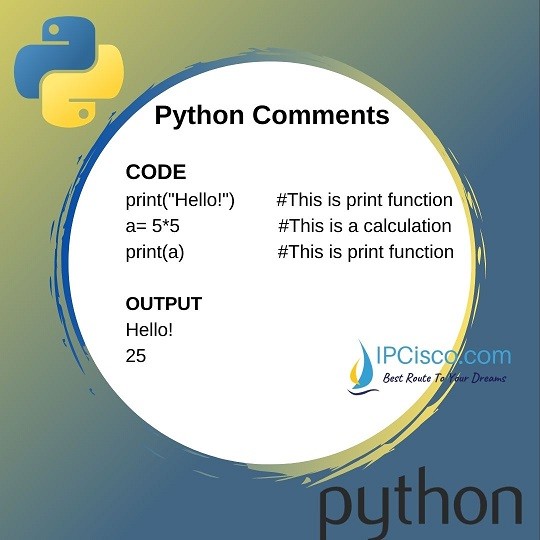
In programming languages, comment lines are used to explain the code. In python, we use python comment code or python comment syntax for this purpose. To do this, we use “#” operator. You can check also other operators in python.
Python comment syntax uses “#” operator at the beginning to explain anything in a line. Beside this sign, we can also use “triple quotes” to create comment lines.
The comments are not printed in the output screen. They are only informative lines to inform coder or programmer about the code or lines.
Test yourself with Python Questions and Answers!
Table of Contents
One of the ways to create comment lines, we use “#” sign.The lines that we use this sign at the beginning, will not be in output. Because, they are the lines that inform the python coder.
In the below Python Comment code example, you can see how to sue “#” sign for comments.
As you can see below, the comments lines are not seen in the output.
You can also watch the video of this lesson!
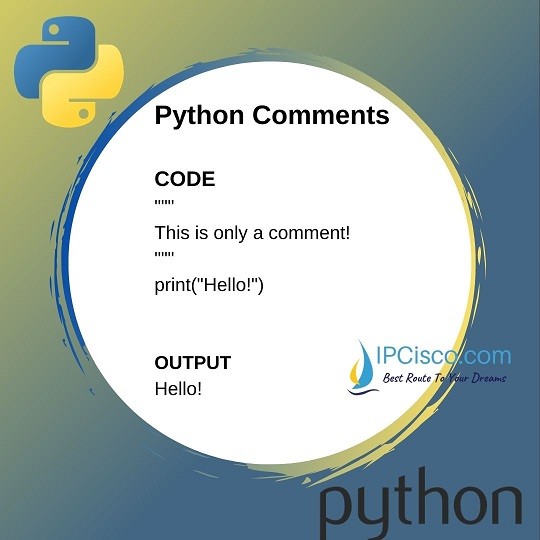
Another way to create comment lines, we use “triple quotes”. Python do not ignore the string that are not assigned to a variable. So, this technique is also used as python comment syntax. Such lines are called “Docstrings”.
Below, you can find an example of how to use “triple quotes” for python comments.
The output will be:
In this lesson, we have learned how to create comment lines in python. You can sue python comment syntax in your codes to explain the code to yourself or to the other python programmer. These are very useful line for python coders. You can use both “#” sign and triple quotes for comments. The result of both of them will be the same.

Gokhan Kosem is a Network Engineer, Instructor and the Founder of IPCisco.com with 15+ years of experience in Cisco, Nokia, Huawei, Juniper, Linux, Service Provider Networks, Routing and Switching technologies.
He has worked on the backbone networks of major service providers and network vendors including Nortel, Alcatel-Lucent (Nokia) and has extensive hands-on experience with Cisco, Huawei, Juniper and Nokia networking technologies.
He has trained thousands of networking students worldwide through IPCisco.com, Udemy, books, labs, quizzes, and educational content across multiple social media platforms.
IPCisco.com | Best Route to Your Dreams






Leave a Reply