
- COURSES
- SPECIALS
- BLOG
- MEMBERS
- SHOP
- BOOKSHELF
- ABOUT
- ENROLL HERE

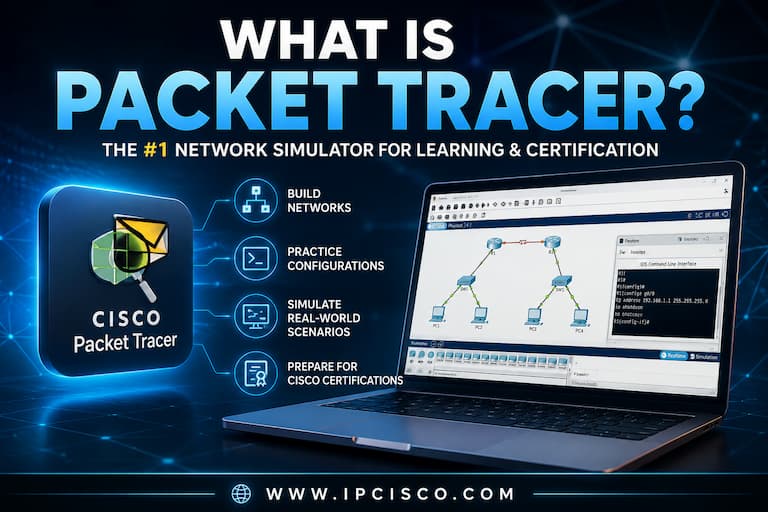
In this lesson, we will answer What is Packet Tracer question. Cisco Packet Tracer is one of the most popular network simulator programs used by network engineers, network technicians, network certification students like CCNA Students and Information Technology professionals. It is one of the best Cisco hands on experience opportunity for newbies in networking and certification students that have no original Cisco devices and software. Cisco Packet Tracer is a software in which, you can create network topologies with various network devices like routers, layer 2 switches, layer 3 switches, firewalls etc. With this opportunity, you can practice Cisco CLI on various Cisco devices without having any physical Cisco device. Isn’ t it a perfect opportunity?
How To Download Cisco Packet Tracer? | How To Install Cisco Packet tracer
Table of Contents
In network certifications, network device configurations or Cisco hand on experience is very important. To gain this capability, learning the theorical lessons and configuration lessons are not enough. To learn better, you should practice on Cisco CLI. Cisco Packet Tracer gives this opportunity to you even it is virtual. It is a perfect tool especially for Cisco CCNA (Cisco Certified Network Associate) and CCNP (Cisco Certified Network Professional).
Complete CCNA & CCNP Packet Tracer Lab Course!
The Cisco Packet Tracer interface provides a visual workspace for building and testing network topologies. Users can add Cisco routers, Cisco switches, PCs, servers, wireless devices and other network devices to configure them through graphical menus or Cisco CLI. They can also observe network behavior in Realtime and Simulation modes. Below, you can see the interface of Packet Tracer.
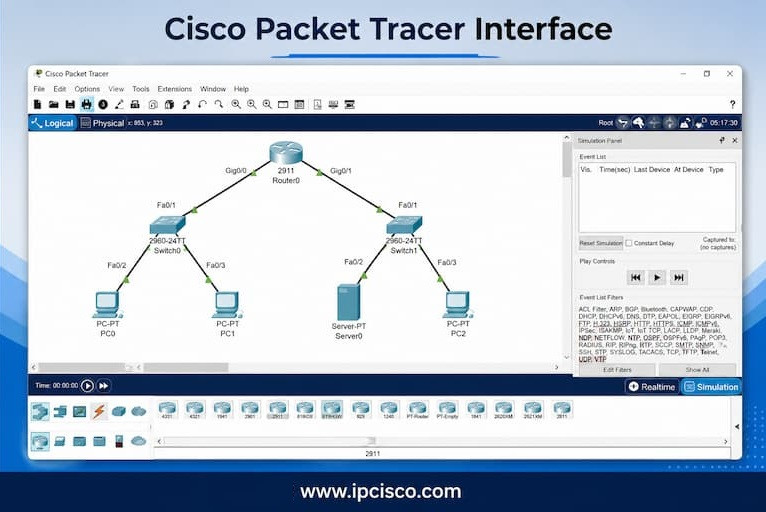
Cisco Packet Tracer interface with a sample network topology consisting of routers, switches, PCs and a server.
Cisco Packet Tracer is a very useful tool for network engineering candidates, certification training students, educators, network technicians and network engineers. With various features, it provides Cisco CLI experience without any risk that you can face on real network devices. In other words, with Packet Tracer, you experiment safely without risking real hardware. It is also a cost-effective solution for trainings. Because, almost all features and commands in Cisco devices can be used in this simulator program.
We have learned What is Packet Tracer. Now, let’s focus on its features. Packet Tracr has many useful features for users. Here are common features of this amazing network simulator program:
The latest version of Cisco Packet Tracer is 9.0.0. There are three download options according to used operating systems:
You can download one of this installation files according to your operating system and start to install with step-by-step installation guide.
Downloading packet tracer and installing it is very easy. Before using this simulator program, firstly you should download it and install it to your PC. In related Packet Tracer Installation lesson, you can follow the instructions and install it easily to your PC.
Using Cisco Packet Tracer usually follows a simple workflow, from installing the software to testing and troubleshooting the final network.

To use PT, firstly you should download it. Download the latest supported version of Cisco Packet Tracer from the official website. Here, a sign in process is required.
Then launch the program and complete the installation process. Different operating systems has different interfaces but it is easy to install PT with instructions.
After the installation now you are ready to add routers, switches, computers, servers and other network devices to the logical workspace.
You should connect the devices with appropriate cables to create a network topology. After creating the topology, you can configure IP addresses, interfaces, VLANs, routing protocols and network services on this topology.
To test the connectivity, you can use ping, traceroute, Simple PDU and Simulation Mode between network devices.
If there is a problem in oyur connectivity or configuration, you can check physical and logical connections, interface status, addressing, routing tables and configuration commands to resolve any connectivity problems.
Although Cisco Packet Tracer is one of the best tools for learning networking fundamentals, it is not a complete replacement for real Cisco equipment. Packet Tracer provides a safe and cost-effective virtual environment where students can build network topologies, configure routers and switches and practice CCNA, CCNP level configurations without purchasing physical devices.
Real networking equipment, on the other hand, delivers a more authentic experience by exposing engineers to actual Cisco hardware, full IOS functionality, hardware limitations and real-world troubleshooting scenarios.
For beginners and CCNA candidates, Packet Tracer is usually the best starting point because it is free, easy to use and available on almost any computer. As networking skills improve, combining Packet Tracer with physical Cisco devices or more advanced emulation platforms helps bridge the gap between simulation and real-world network administration. This can be used especially CCNP and CCIE studies.
Below, you can find a comparison of Packet Tracer and Real Cisco Devices:
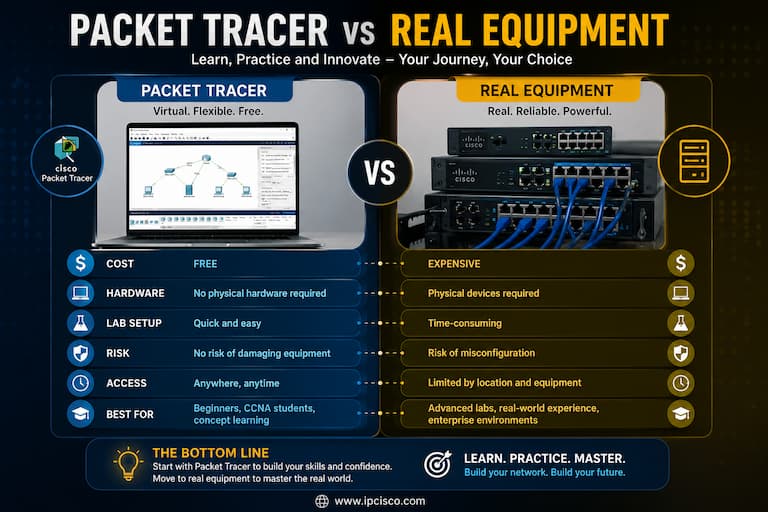
Packet Tracer vs Real Equipment: A comparison of virtual network simulation and physical Cisco hardware for learning and practicing networking skills
In IPCisco, we cover all CCNA and CCNP ENCOR level configuration lessons. All these confguraitons lessons have been created by Cisco Packet Tracer. Our most popular Packet Tracer labs cover fundamental networking topics such as switch configuration, VLANs, IPv6, DHCP, routing, ACLs, NAT and many more. Each lab includes step-by-step configurations and verification commands to help you build confidence in configuring and troubleshooting Cisco networks. You can also download these PT labs.
Once you have mastered the fundamentals, you can move on to advanced Packet Tracer labs that simulate enterprise networking environments. Topics such as SSH, BGP, GRE Tunnels, DHCP Snooping, Dynamic ARP Inspection (DAI), Port Security, EtherChannel and HSRP help you develop the practical skills required for real-world network engineering and professional Cisco certifications.
Most Popular Packet Tracer Labs |
Advanced Packet Tracer Labs |
||
 |
Basic VLAN Configuration | 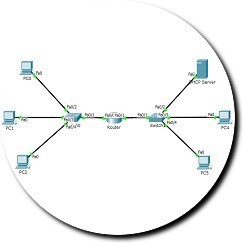 |
DHCP Server Configuration |
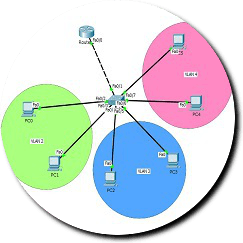 |
Inter VLAN Routing Configuration | 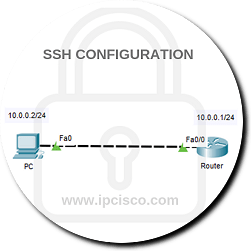 |
SSH Configuration |
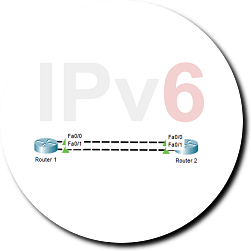 |
IPv6 Address Configuration |  |
BGP Configuration |
 |
Static NAT Configuration |  |
GRE Tunnel Configuration |
 |
OSPF Configuration |  |
Switch Port Security Configuration |
Yes. Cisco Packet Tracer is a free tool that you can use for your network certification studies, Cisco hands on experience. The only thing you should do is creating a free account and download the latest version of packet tracer. After that, you are ready to practice various Cisco Labs.
Packet Tracer do not use real router or switch images, so it is a network simulator, not a network emulator. So, here, you will work on not real Cisco IOS but you can work on its simulation like you are working in real CLI. Almost all required commands for network engineering certification exams are working and you can practice almost all of them with this program.
Yes, Packet Tracer offers mobile versions for Android and iOS. Here, some advanced features may be limited compared to the desktop version. But you can practice on basic network topologies and simulate devices on mobile version.
With this simulation program you can simulate various network devices like routers, switches, PCs, laptops, wireless devices, firewalls, IoT devices etc. With these opportunities, you can practice any of these devices without any physical device.
Yes. With some configurations, we can connect PT to real network devices as hybrid practice tool. But this can be a little risky. You must be careful and you must not use such features on production networks.
Exactly yes. Packet Tracer is mostly used for CCNA Practice with various CCNA Labs. It is also used for CCNP and CCIE level topologies even dome restrictions. It provides logical and physical views, simulation mode, and supports a wide range of protocols, making it an essential tool for CCNA, CCNP and CCIE learners.
Download Cisco Packet Tracer Lab Files for All Configuration Lessons!
Cisco PacketTracer is a network simulator used for learning Cisco CLI and practicing router and switch configurations. It does not run real router or switch operating system images. Instead, it simulates Cisco devices and their behavior.
Network emulators, on the other hand, run real router and switch images. Tools like GNS3 and EVE-NG are examples of network emulators that allow users to run real Cisco operating systems in a virtual environment.
Yes. Packet Tracer is one of the best networking tools for beginners because it provides a simple graphical interface and a safe virtual environment for learning networking concepts. It is easy to use PT for beginners. With this tool, users can practice various computer network lessons like IP addressing, routing, switching, VLANs, DHCP, ACLs and troubleshooting without needing any physical Cisco devices.
Yes. Cisco Packet Tracer is still widely used by students, universities, training centers and network professionals worldwide. Especially it is very popular for network certification studies. Cisco Networking Academy continues to support Packet Tracer, making it one of the most popular tools for learning networking and preparing for Cisco certification exams.
Cisco Packet Tracer develops your practical networking skills on Cisco router and switch configuration. You become more familer to Cisco CLI commands and command outputs. These skills are valuable for both certification exams and real-world networking jobs.
Packet Tracer accurately simulates most networking concepts required for CCNA adn CCNP studies. Although it does not run real Cisco IOS images, it covers many networking commands for many network protocol configurations. You can run many Cisco router and switch commands on Cisco Packet tracr and you can view their outputs.
If you are looking for Cisco configuration practices and gain Cisco hands-on experience, explore our Cisco Packet Tracer Labs with step-by-step configuration examples or join our complete Cisco Packet Tracer Course to master networking skills through real-world scenarios.

Gokhan Kosem is a Network Engineer, Instructor and the Founder of IPCisco.com with 15+ years of experience in Cisco, Nokia, Huawei, Juniper, Linux, Service Provider Networks, Routing and Switching technologies.
He has worked on the backbone networks of major service providers and network vendors including Nortel, Alcatel-Lucent (Nokia) and has extensive hands-on experience with Cisco, Huawei, Juniper and Nokia networking technologies.
He has trained thousands of networking students worldwide through IPCisco.com, Udemy, books, labs, quizzes, and educational content across multiple social media platforms.
IPCisco.com | Best Route to Your Dreams






Packet Tracer installed.
Perfect! Good luck Braheen!